プロモーションコード利用手順
(Android版)
1
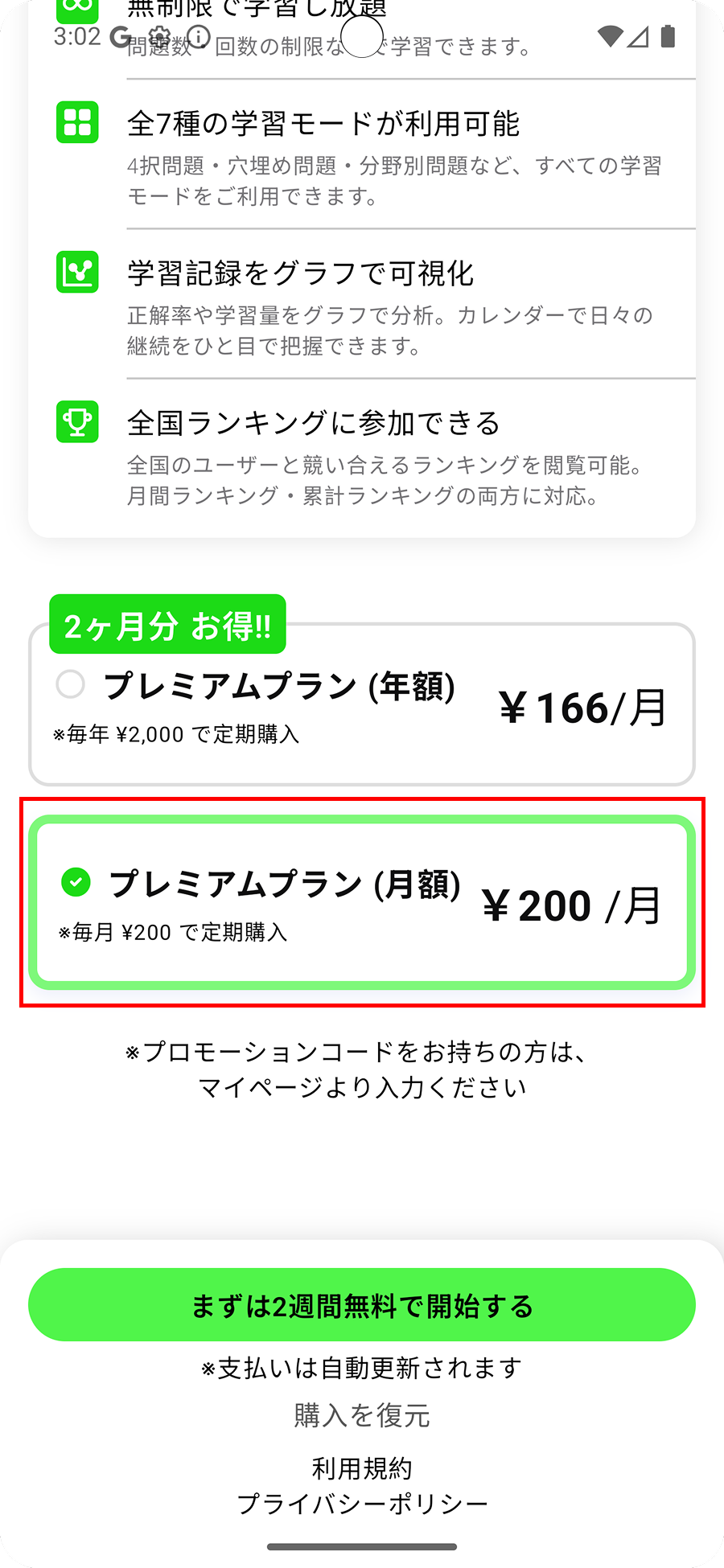
年額プランを選択する
サブスクリプションのプラン選択画面で「年額プラン」を選択してください。
2
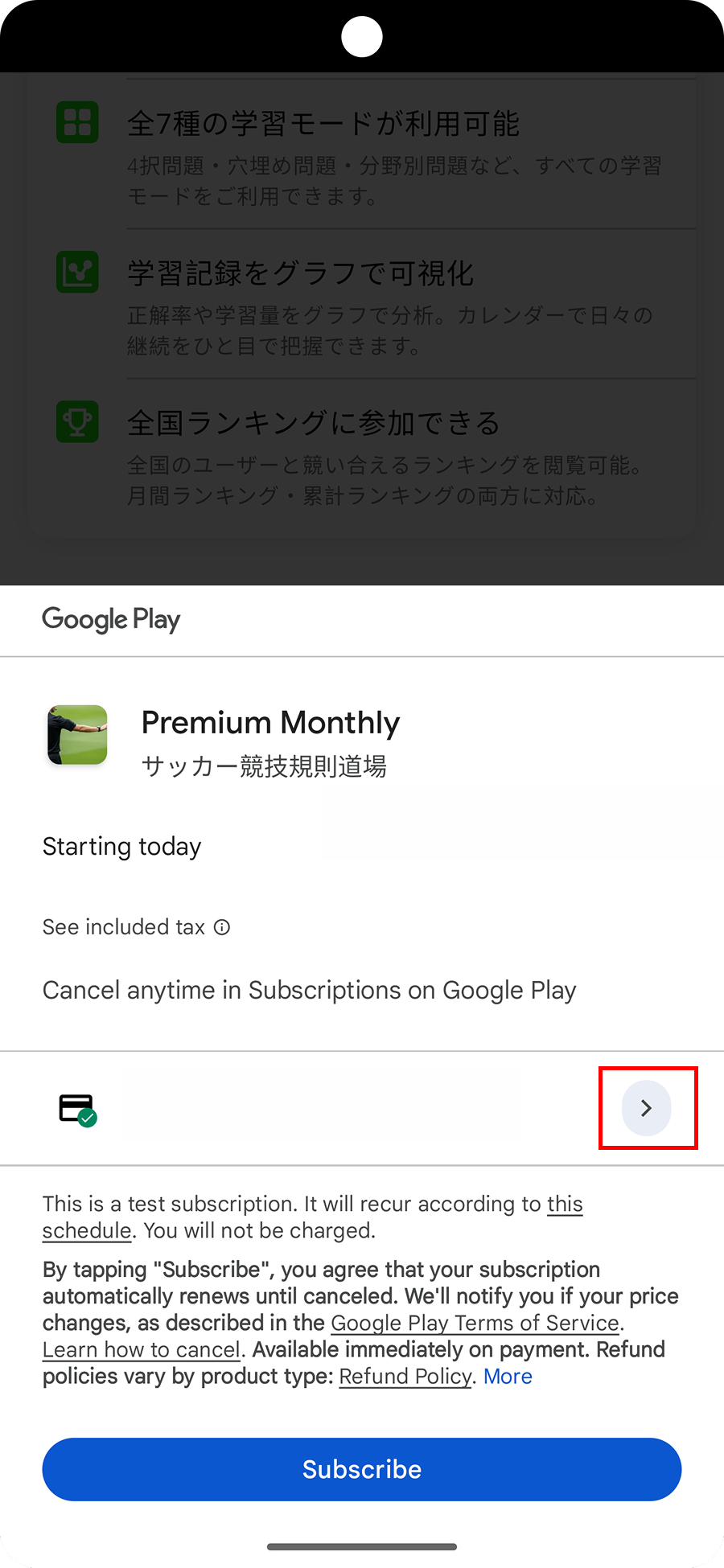
支払い方法の変更
購入ボタンを押す前に、現在の支払い方法の横にある矢印マーク をタップしてください。
3
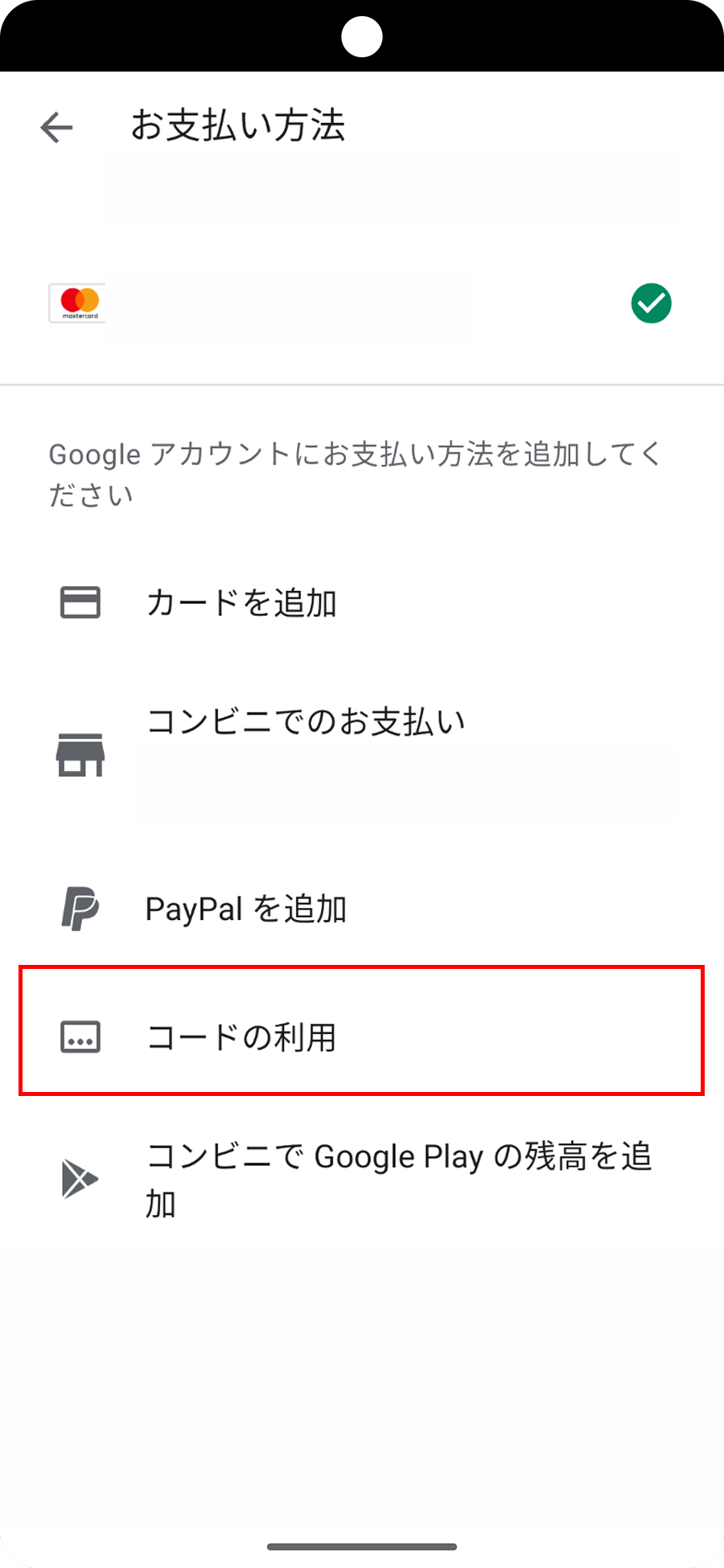
コードの利用を選択
お支払い方法の選択画面が表示されます。画面をスクロールして下部にある「コードの利用」をタップしてください。
4
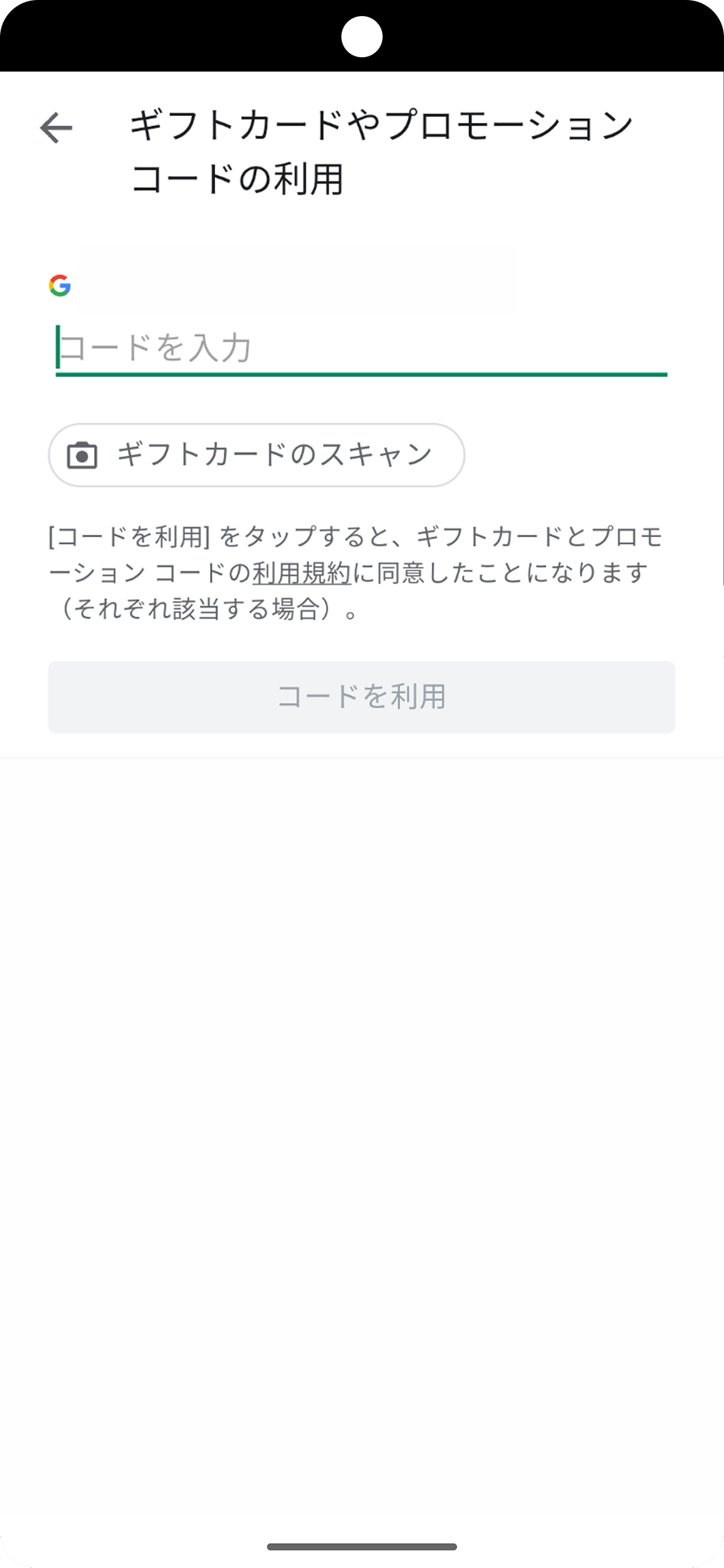
コードを入力して適用
お手持ちのプロモーションコードを入力し、「適用」または「コードを利用」ボタンをタップしてください。
1
Select the annual plan
On the subscription plan selection screen, choose the Annual Plan.
2
Change the payment method
Before tapping the purchase button, tap the arrow icon next to the current payment method.
3
Select Redeem Code
The payment method selection screen will appear. Scroll down and tap "Redeem Code" near the bottom.
4
Enter and apply the code
Enter your promotion code, then tap "Apply" or "Redeem Code".